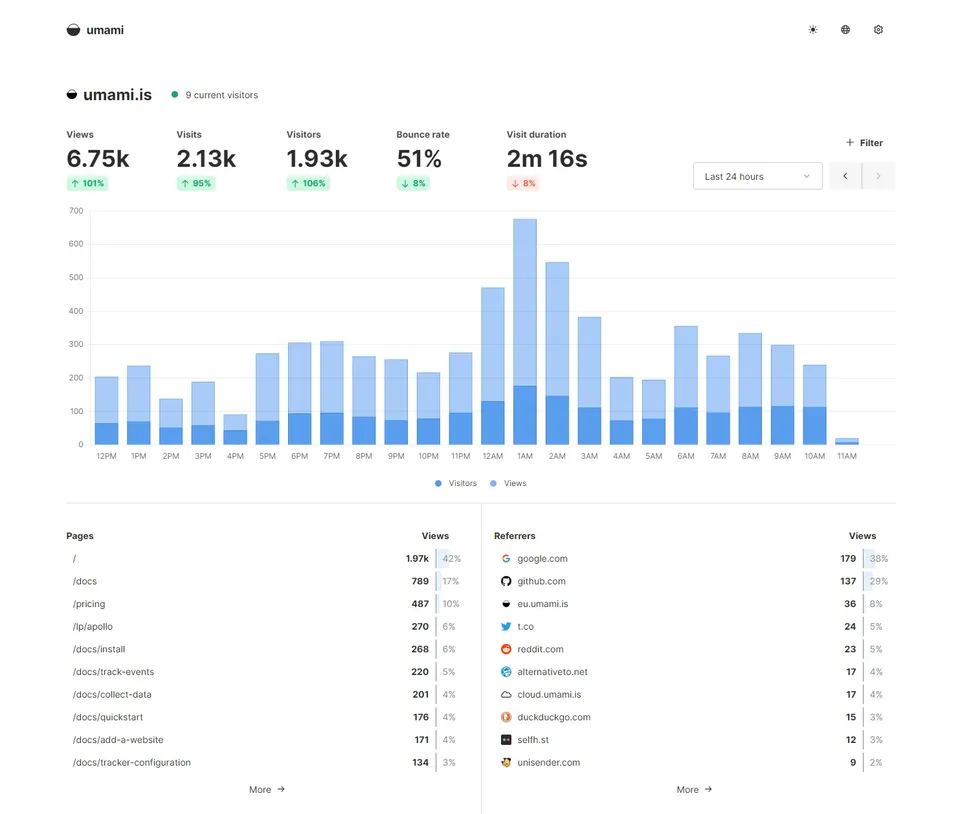
When it comes to website analytics, you’ve probably heard about Google Analytics. Google Analytics has been dominating the analytics domain for a while, but due to its complexity and the privacy concerns it raises, a number of alternatives have emerged.
The one analytics tool I recommend is one that I use for all my projects when I can. It’s called Umami.
Reasons to use Umami
Umami has 4 features that make it my prominent analytics tool:
- It has a simple, minimalistic UI
- It is super fast to set up
- It is open-source
- It doesn’t use cookies - better GDPR compliance
You can set up Umami within minutes and start collecting website traffic data immediately.
Umami Cloud is free for 3 websites or fewer
If you only plan to monitor 3 websites or fewer you can simply sign up for a free account at the official website - this service is called Umami Cloud and it’s free with some restrictions. Check out their Pricing page for more info.
Cheap self-hosting for more than 3 websites
If you are running multiple websites, consider self-hosting Umami. This way you’ll be able to monitor more than 3 websites from one account without any restrictions.
A fantastic, cheap self-host service provider for open source projects is PikaPods. I use PikaPods to host several open-source applications to run my freelancing business.
You can create an account and fire up an Umami instance with just a few clicks. This is a very cheap option - check out PikaPods Pricing for more.
How to track only production builds
Include the tracking script on all your pages. For web apps, make sure to include data-website-id attribute too, to only track your production environments.
<script
  defer
  src="https://cloud.umami.is/script.js"
  data-website-id="94db1cb1-74f4-4a40-ad6c-962362670409"
  data-domains="mywebsite.com,mywebsite2.com"
></script>
Official Umami Tracker Documentation: https://umami.is/docs/tracker-configuration
How to exclude your own devices
You probably want to ignore your own devices from analytics so you can visit and edit your own websites without messing up your analytics data.
To do so, you need to set a localStorage property in your browser. Visit your website, open up the developer console and type localStorage.setItem('umami.disabled', 1);. You have to perform this for all your websites. For more info, check out the official Umami documentation.
Summary
- A better Google Analytics alternative is Umami
- It’s simple, minimalistic, open-source, free and fast to set up
- For less than 3 websites use the free Umami Cloud
- For more than 3 websites and more advanced tracking use PikaPods
- Add
data-domainsattribute to only track production - Use
localStorage.setItem('umami.disabled', 1);to exclude your own visits